
Zones and Rules
Zones and rules are the shapes the engine watches on a camera. They are drawn on a frame from that camera: zones, counting lines, alarm lines, parking bays and rows, junction arms, person down areas and stopped vehicle areas. Each shape keeps its history.
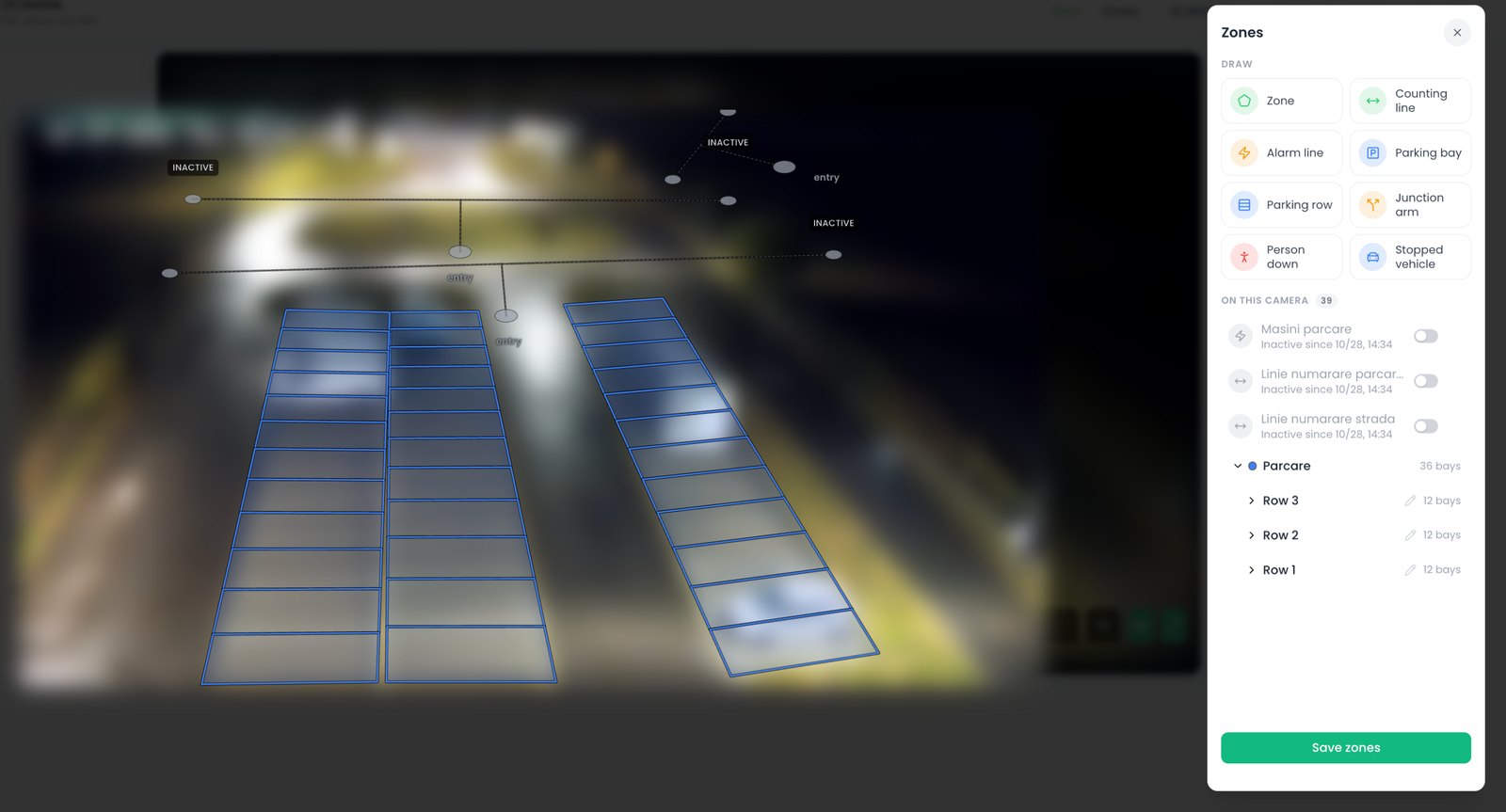
Zone editor
One editor for the nine kinds of shape: drag a point or the whole shape, add or drop points, nudge with the arrow keys, undo.
Shape history
Each change is kept with who made it and when, and each event points at the exact version of the shape that raised it.
Paused shapes
A shape can be switched off and on again, so a seasonal rule, or a line in an area under construction, is not redrawn.
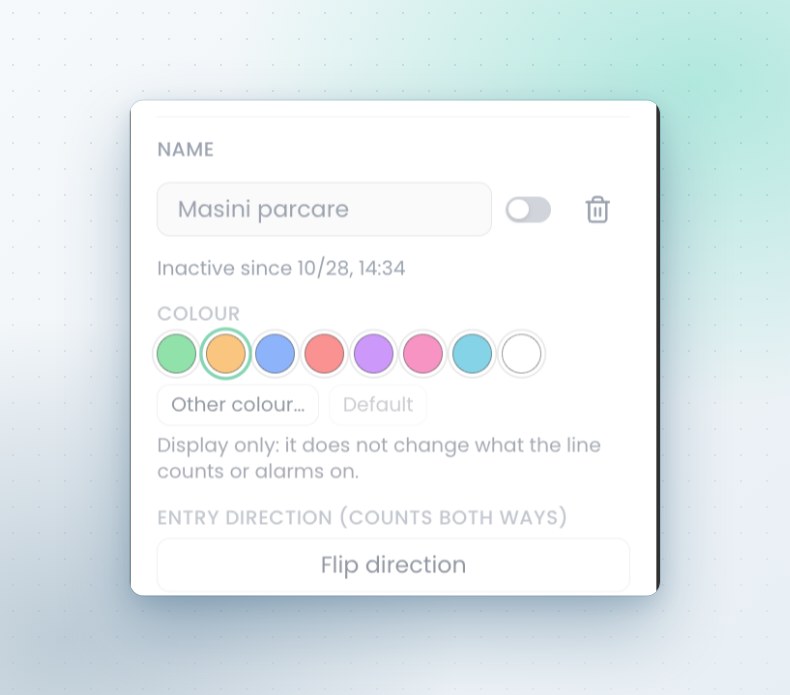
Alarm lines with a direction
An alarm line is a line and an arrow drawn on the picture. It alarms with the arrow, against it or both ways, for the classes selected, and it can count at the same time. The display color can be chosen, so a crowded picture stays readable, and the arrow can be flipped without redrawing.
Counting lines
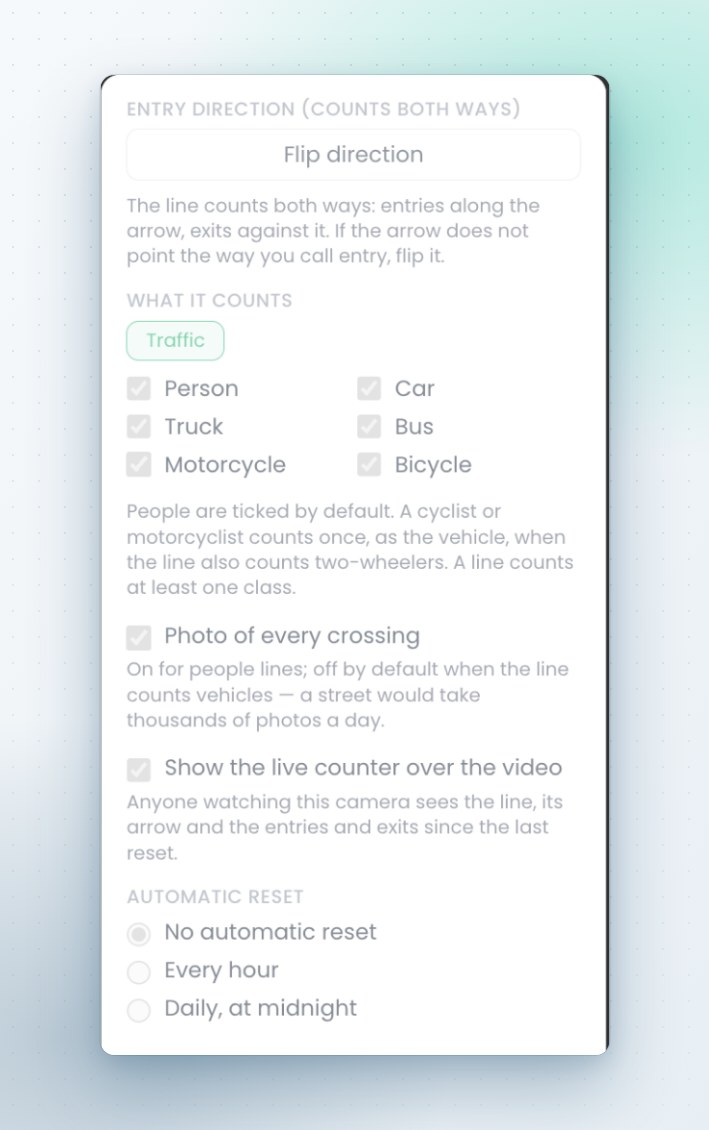
A counting line counts people, cars, trucks, buses, motorcycles and bicycles as chosen, with a traffic preset for street cameras. It can keep a photo of each crossing, show its live counter over the video on that camera, and reset itself each hour or at midnight in the site's time zone.
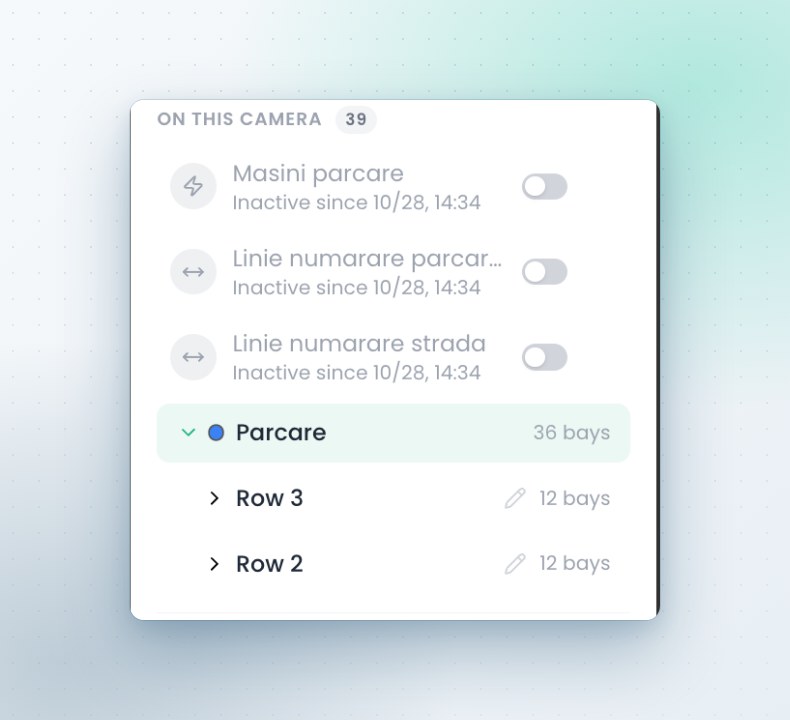
Parking rows and bays
A row is drawn from its four corners and a number of bays, and each bay can be adjusted afterwards. Bays sit under a named row with settle and vacate times, and a single bay can be switched off while a container or works occupy it.
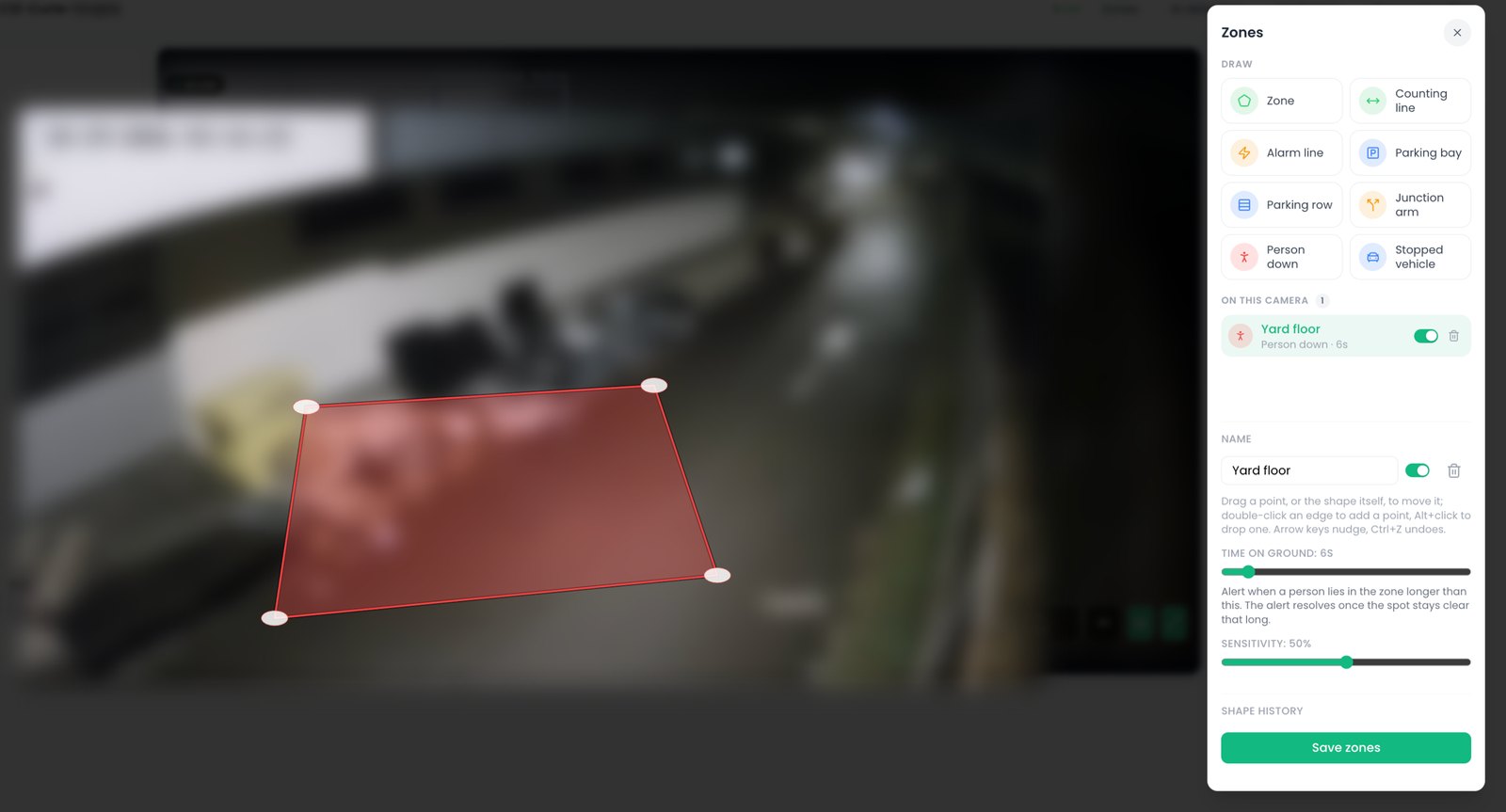
Person down and stopped vehicles
A person down area watches for someone on the ground and raises a critical alert with the picture, then clears itself once the spot is empty. A stopped vehicle area does the same for a vehicle that stays on a hard shoulder, in front of a gate or in a fire lane.
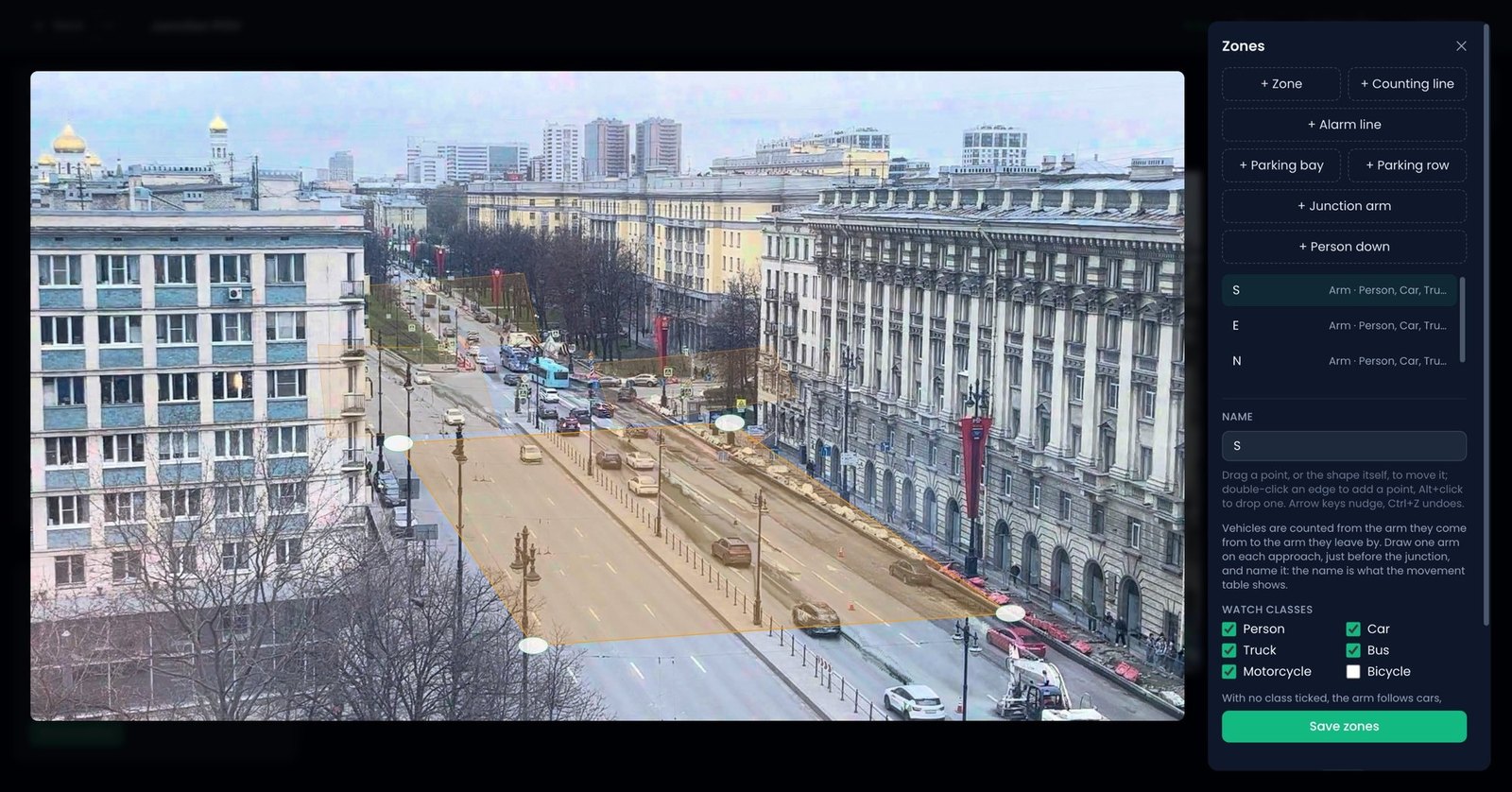
Junction arms
One arm is drawn on each approach, before the junction, and named. Each vehicle is then counted from the arm it entered by to the arm it left by, by class, and the movement table shows the names given to the arms.
Camera settings
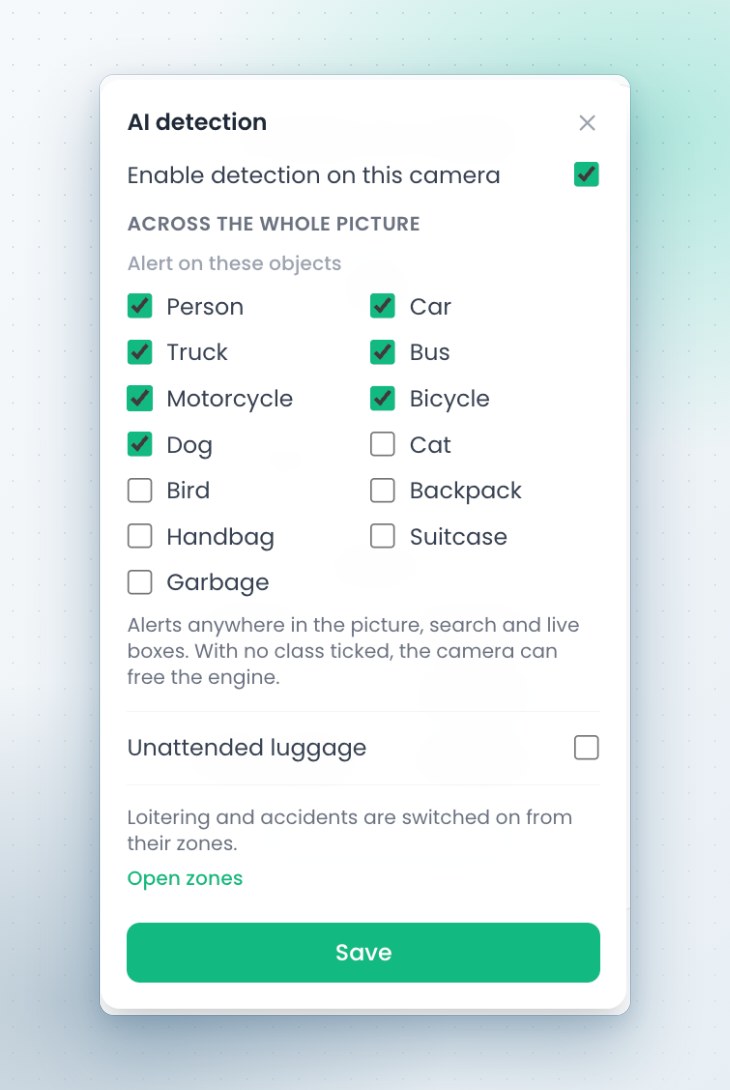
Beside the zones, each camera has its own settings: which object classes raise an alert anywhere in the picture, whether unattended luggage is watched, whether heatmaps are collected and over what default range, and the perspective filter, which tells the engine how tall a person looks near and far. A change applies without a restart.
The other capabilities
See it on your own cameras
A demo can run on your cameras or on a Sentra demo site, self hosted or hosted by Sentra. Tell us which events and figures you need, and we prepare it.