

Counting
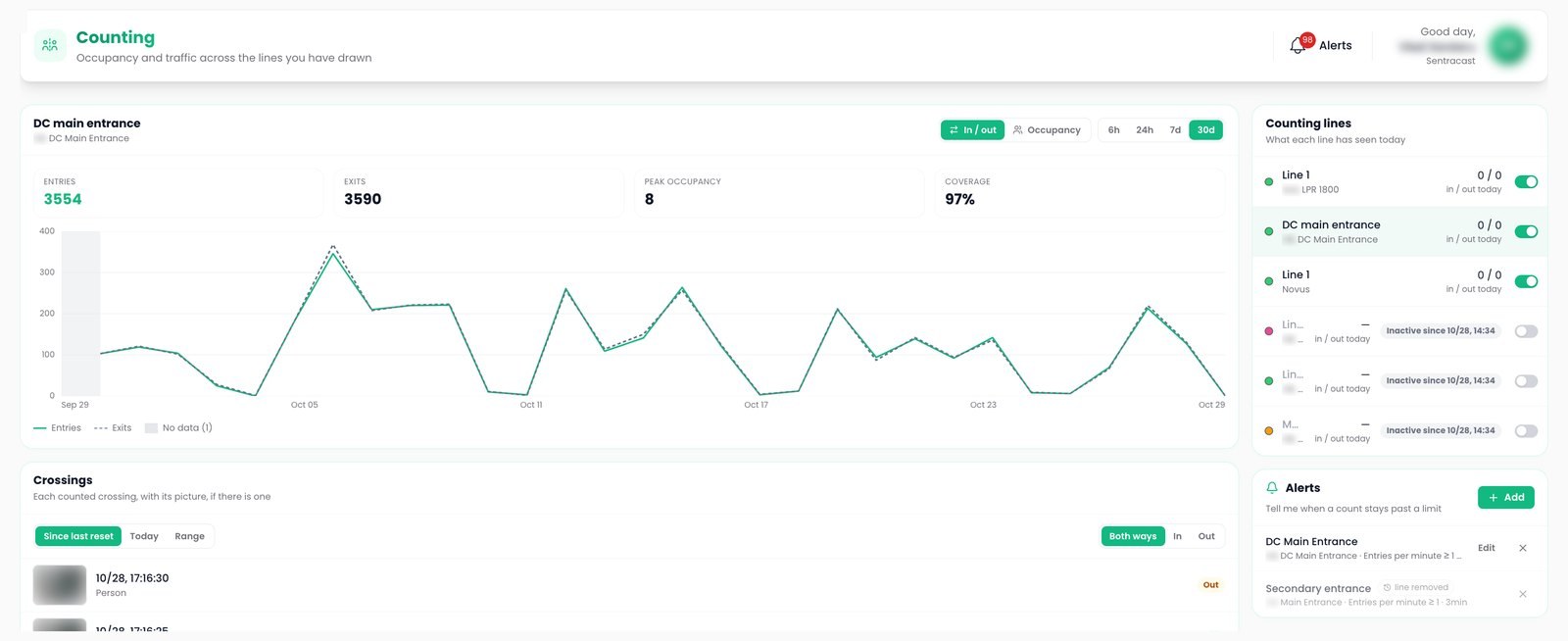
A counting line on the camera picture counts people and vehicles in and out. Occupancy is measured, each crossing keeps its picture, each figure states its coverage, and a rule raises an alert when a count stays past a limit.
Counting lines
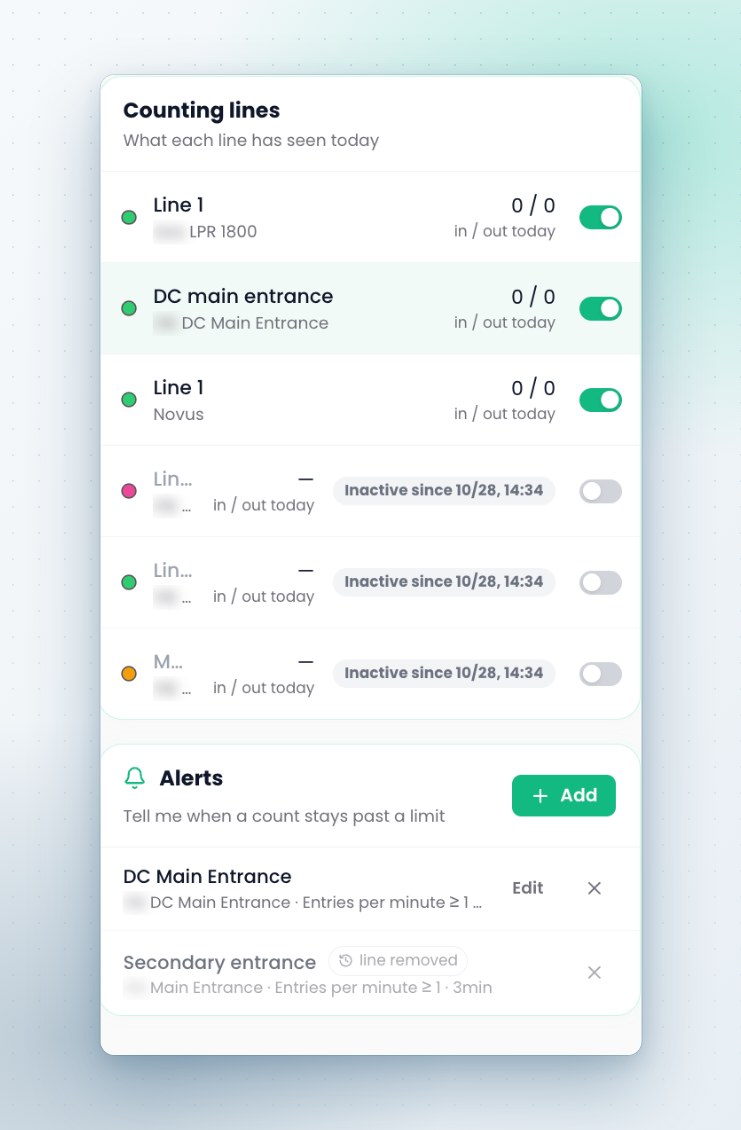
A line on the picture, an arrow for the entering direction and a choice of what it counts.
Coverage figures
Coverage shown on every figure, gaps marked, and a hand count validation at commissioning.
Threshold alerts
Occupancy above a limit for a set time, or too many entries per minute.
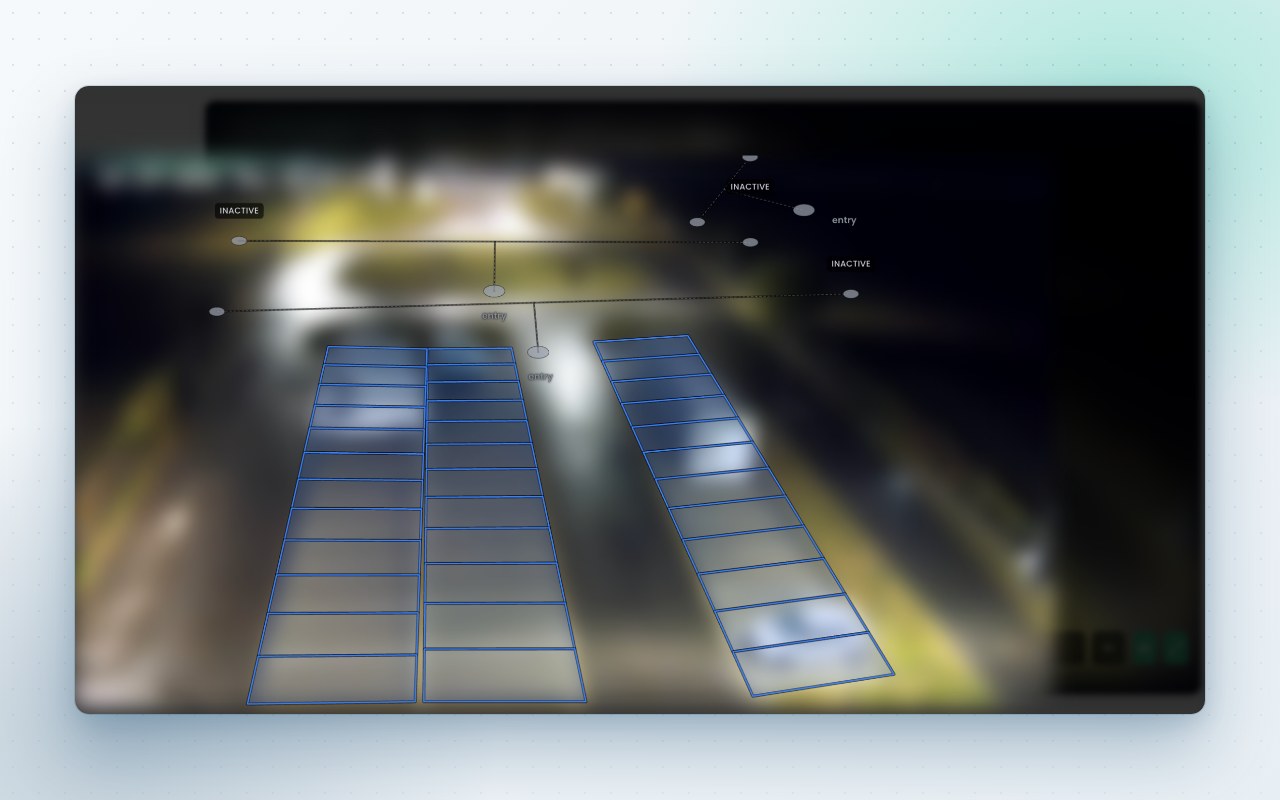
Line editor
Counting lines, alarm lines and zones share one editor, drawn on a frame from the camera. A traffic preset splits vehicles into cars, large vehicles and two wheelers, and each line can keep a photo of every crossing and show its live counter on the camera view.
Crossings list
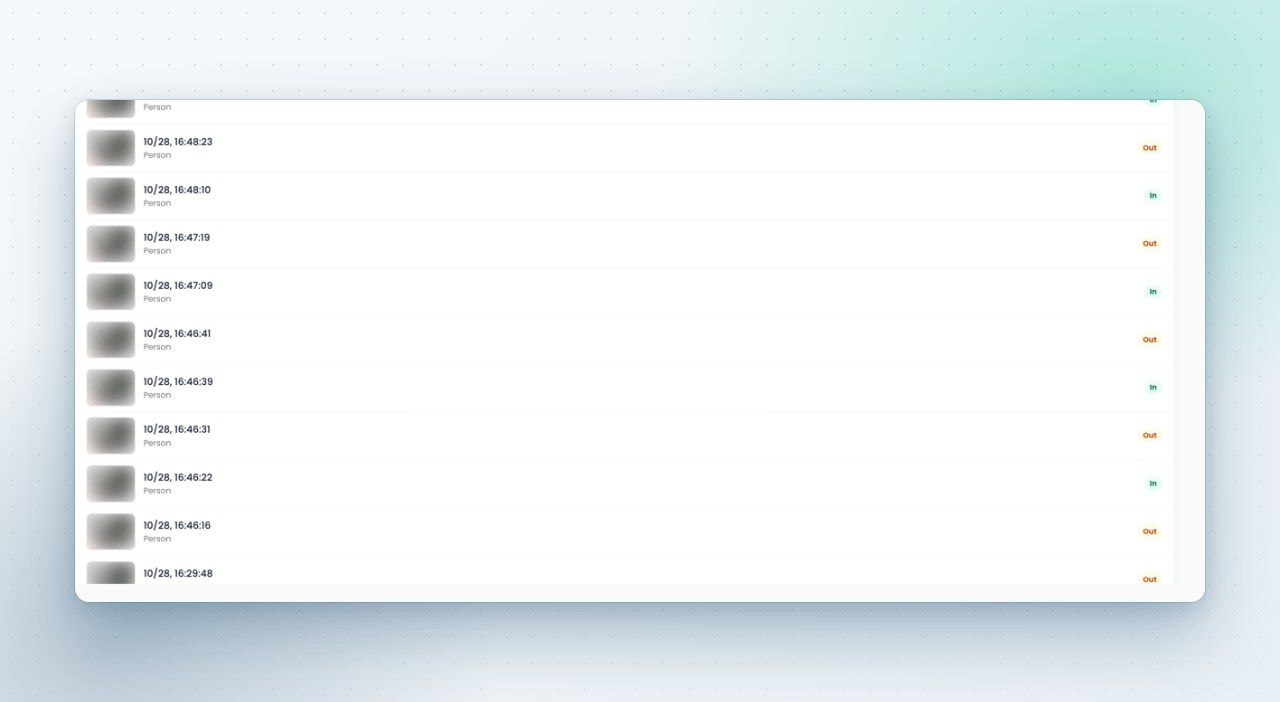
The crossings list shows every counted entry and exit with its time, class, direction and picture, filtered for today, since the last reset or any range, and it refreshes live. Resets run hourly, daily at midnight in the site's own time zone, or not at all.
Flow and occupancy charts
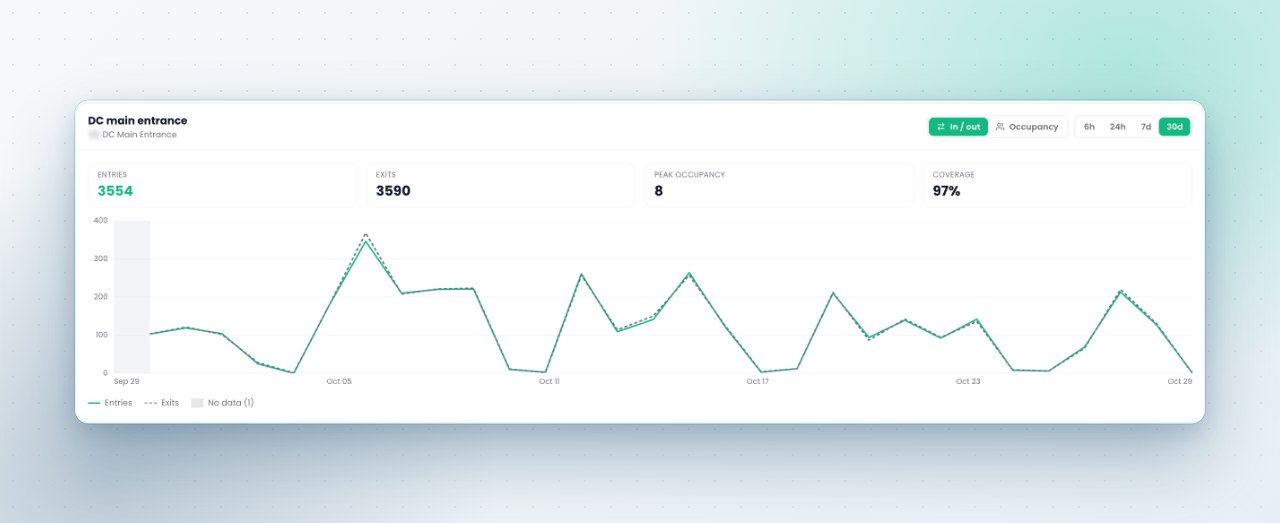
Flow in and out and occupancy over six hours, a day, a week or a month, with today's totals per line, peak occupancy and a coverage indicator. Minutes roll up to hours and days, and daily figures are kept for year on year comparison.
- Occupancy is sampled, so it does not drift over a day or go negative
- A retried upload does not count a minute twice
- Each figure carries the version of the rules that produced it
Threshold rules
A rule such as occupancy above eighty for three minutes, or more than one entry a minute at the loading door, raises an alert in the alert inbox. Rules clear at a separate value, so they do not flap, and an outage is reported as no data.
The other capabilities
See it on your own cameras
A demo can run on your cameras or on a Sentra demo site, self hosted or hosted by Sentra. Tell us which events and figures you need, and we prepare it.