

Access Control
Access control opens a barrier for vehicles on a plate list. A listed vehicle opens the gate during its validity period. Other vehicles are denied and recorded with a photo, and a guard can open the boom from the console.
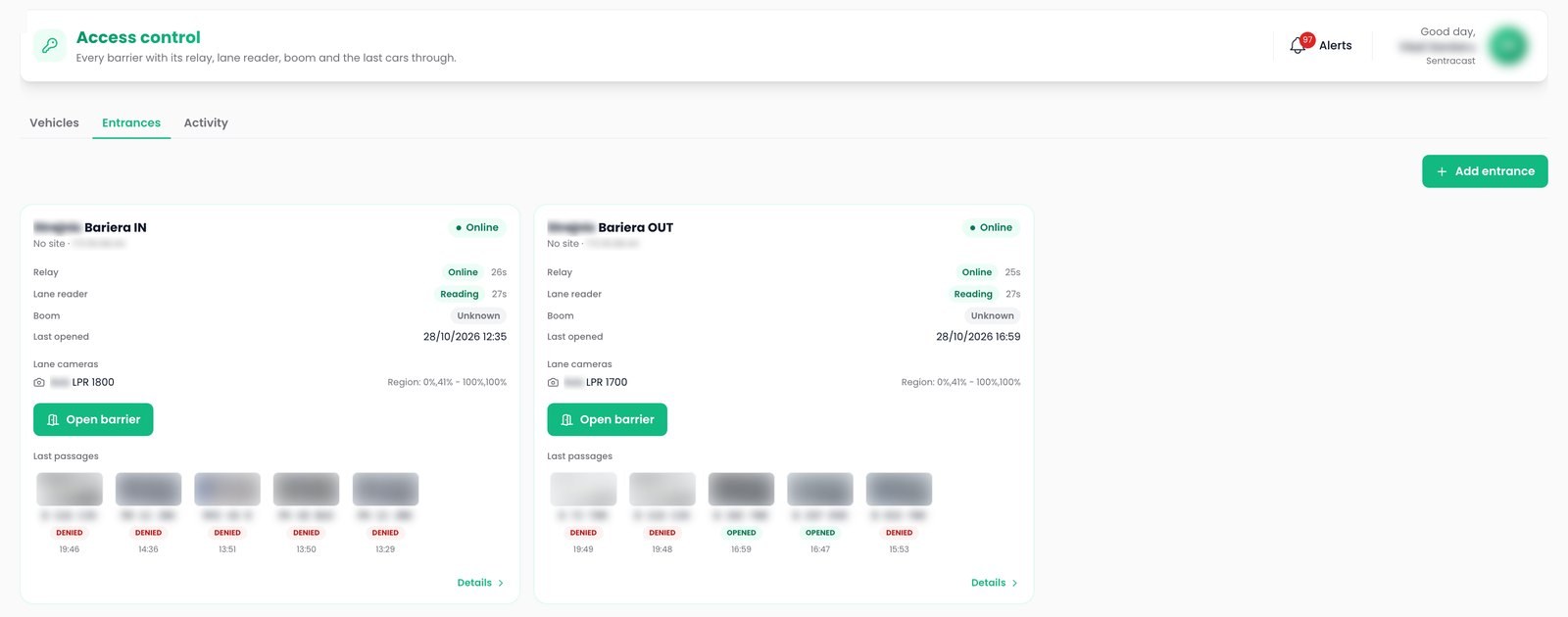
Plate list
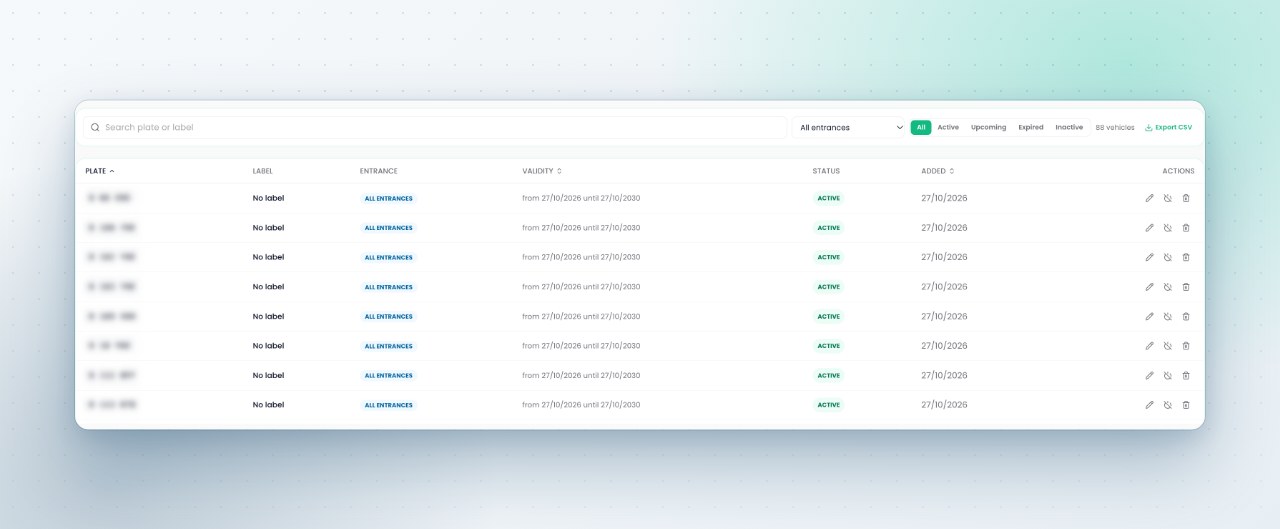
Plates with a label, a validity period and the entrances they may use.
Decision log
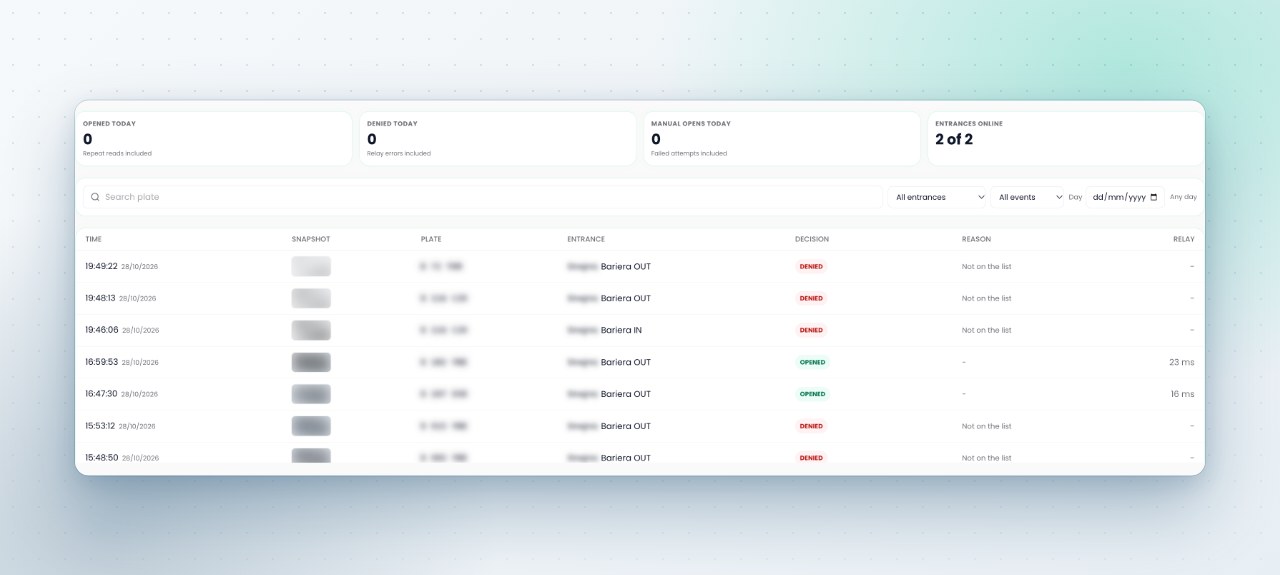
Opened, denied, manual open or repeat read, each with the plate crop, the entrance, the time and the reason.
Hardware status
Relay, lane reader and boom status per entrance, with an alert when a device goes offline.
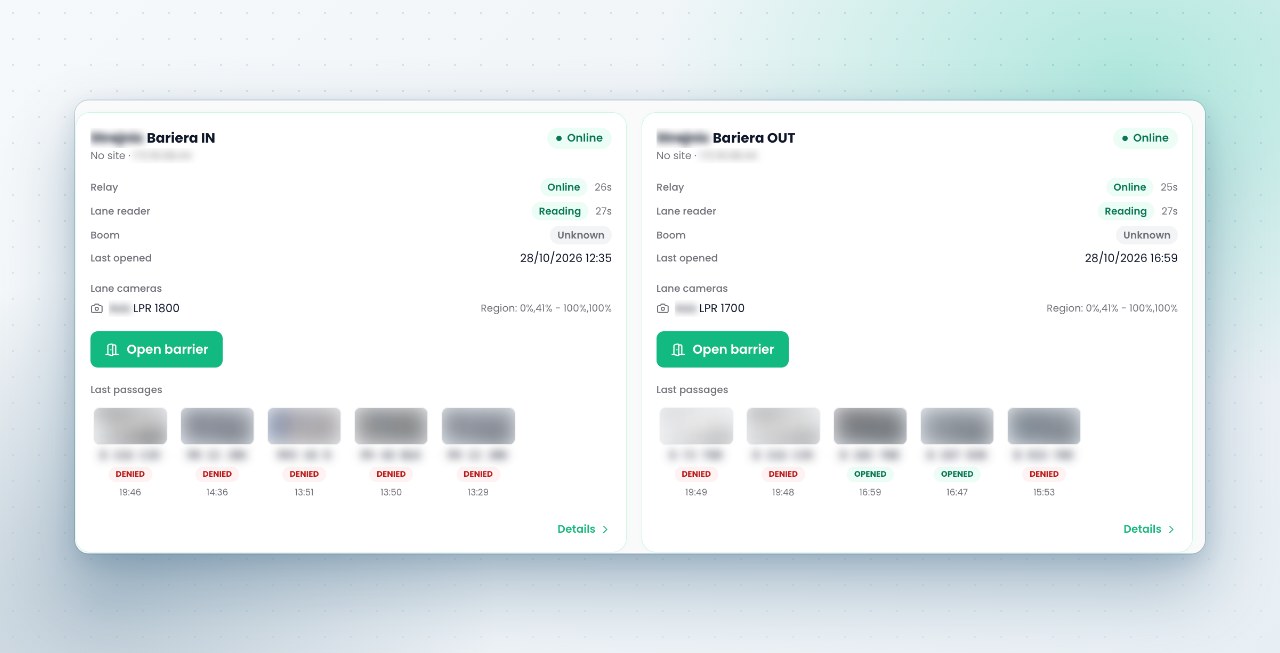
Entrance card
Each entrance has a card with its relay, lane reader and boom, their state and the time they last answered. The card also shows the lane camera that reads for it, the last vehicles through with the decision taken, and an Open barrier button for a vehicle that is not on the list.
Listed vehicles
A vehicle is a plate, an optional label such as the company or the person, a validity period and the entrances it opens: all of them or one. Filter by active, upcoming, expired or inactive, and export the list.
- Validity from a start date to an end date
- Per entrance permissions for a visitor car park and a staff gate
- Deactivation keeps the vehicle history
Activity log
The activity log records each read at each entrance: opened, denied with the reason, manual open by a guard, repeat reads inside the cooldown, offline and back online. The log shows today's figures and filters by entrance, event type, day or plate.
Plate reading on existing cameras
The barrier uses server side license plate recognition on a camera with a view of the plate, with formats validated for Romania and around forty other countries. Plates read on other cameras join the same plate search, and a watchlist match raises an alert.
- Confidence shown on each read, unreadable plates kept as evidence only
- Plates searchable together with vehicle color and AI search
- An aiming indicator flags cameras that see vehicles but read no plates
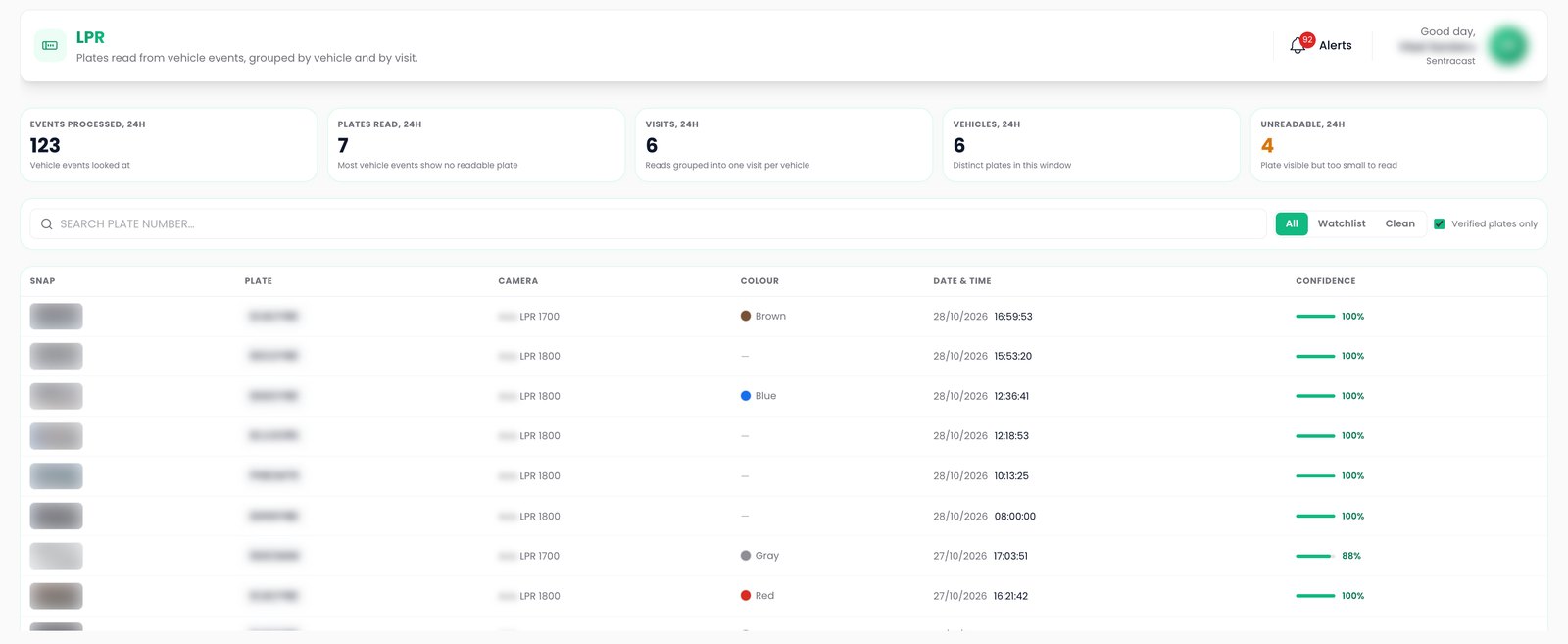
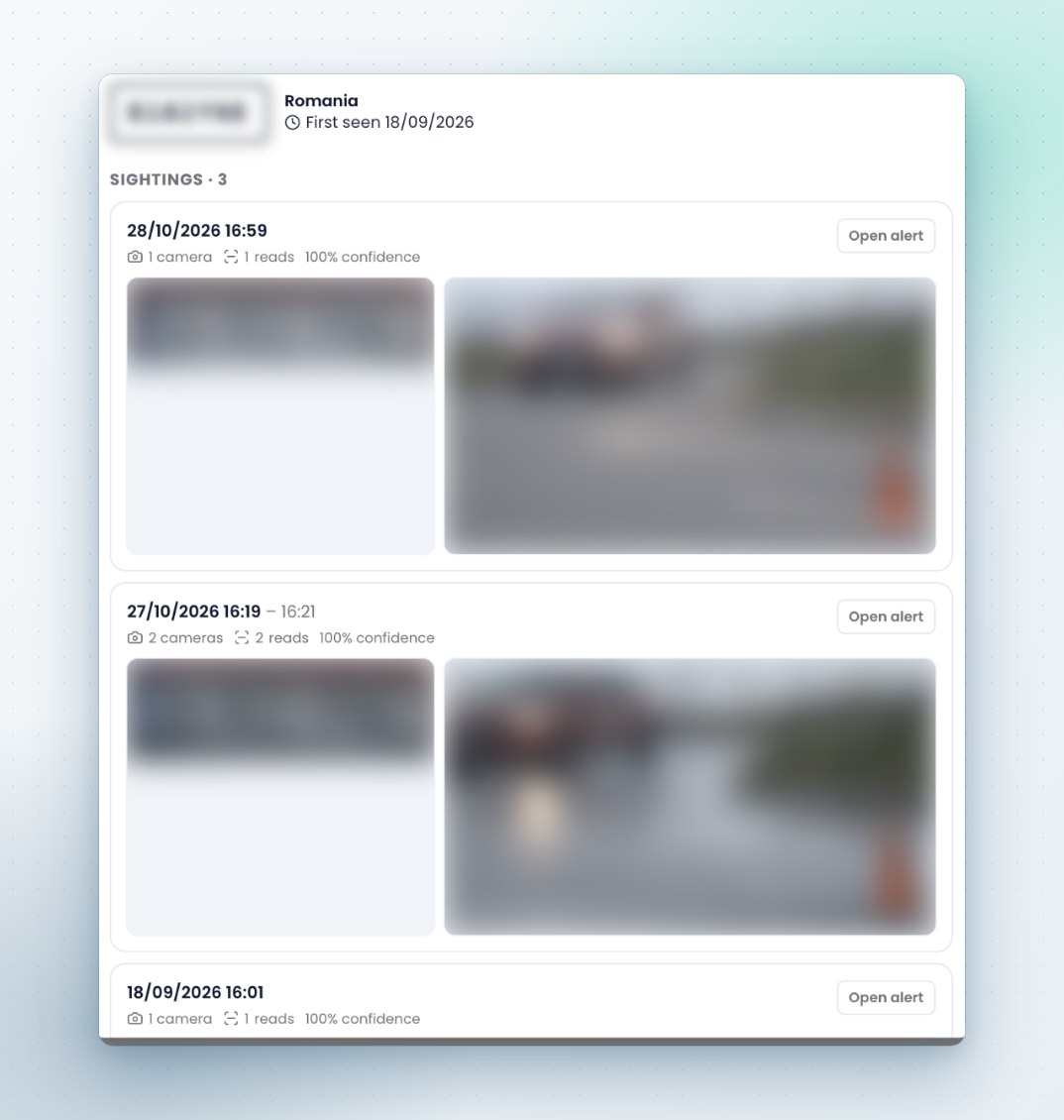
Plate record
A plate record holds the country, the first sighting and each sighting with its crop and scene image.
The other capabilities
See it on your own cameras
A demo can run on your cameras or on a Sentra demo site, self hosted or hosted by Sentra. Tell us which events and figures you need, and we prepare it.